
hi there we’re madewell simply put we make great jeans we also focus on all the things you wear with denim like timeless leather jackets keepforever bags slouchy tees and complimentworthy shoes we roll out new goodies every other week and always offer cool perks to madewell insiders like free shipping and fun birthday gifts program features commission rate 5 cookie duration 3 days demographic women ages 1834 datafeed available new arrivals are available every 2 weeks search policy we encourage affiliates to use generic keywords in their search engine optimization however affiliates may not use our trademark name our domain name or misspellings or variations of these specifically bidding on any variation of our core term madewell madwell made well etc is not permitted please see our program term for our detailed sem policy join today



Download the extension from our website. To do this, click on "Download now":
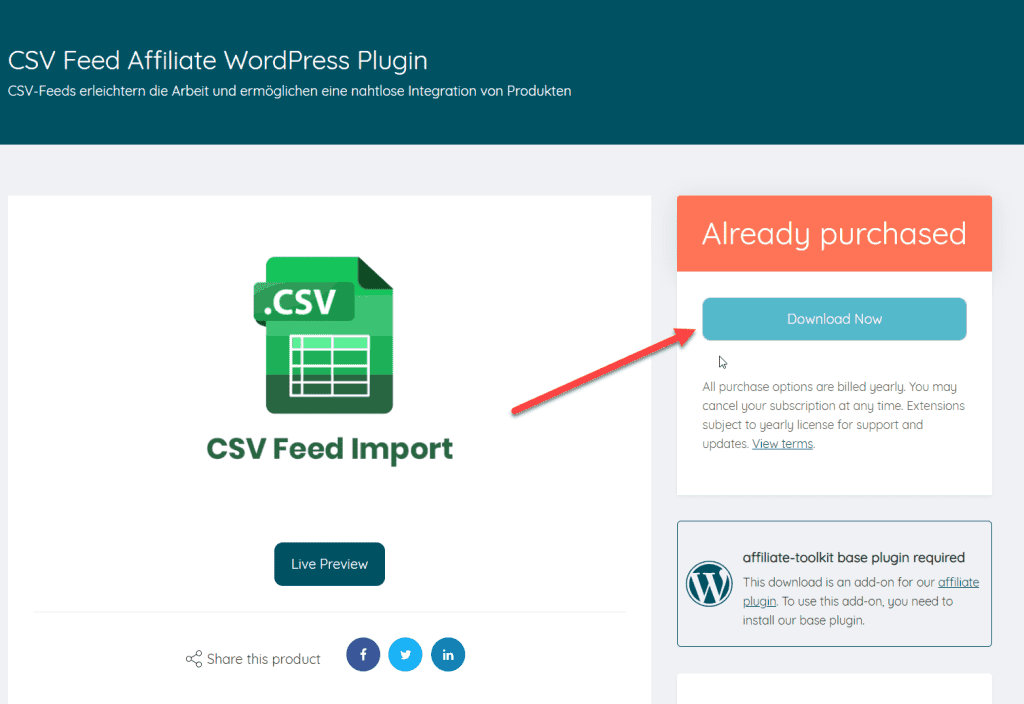
You can then upload and install the ZIP file normally via the WordPress plugin installation. After activation, the CSV interface is also selectable under Shop API.
Now create a new store in affiliate-toolkit under Shops.
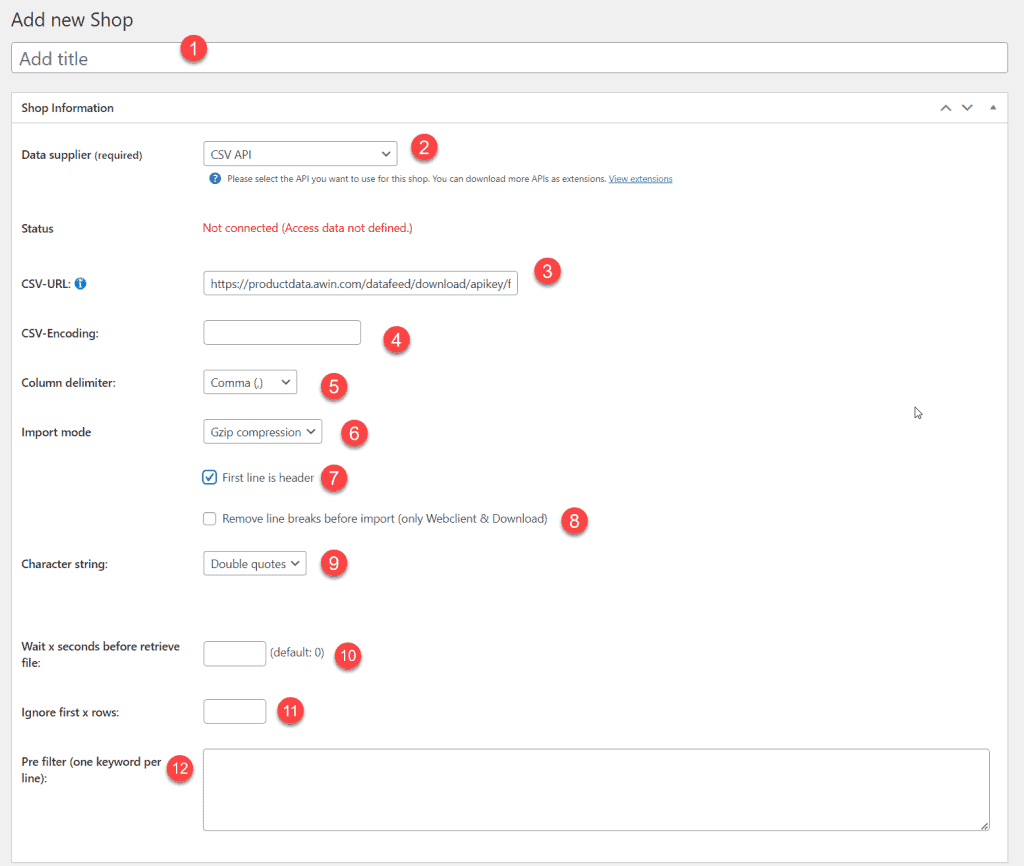
After you save the store, the recognized fields will be listed. These fields must now be assigned. On the left you can see the field name of affiliate-toolkit. On the right you need to select the field name in the CSV.
The most comfortable way is the import via the WordPress backend. affiliate-toolkit offers its own search mask here.
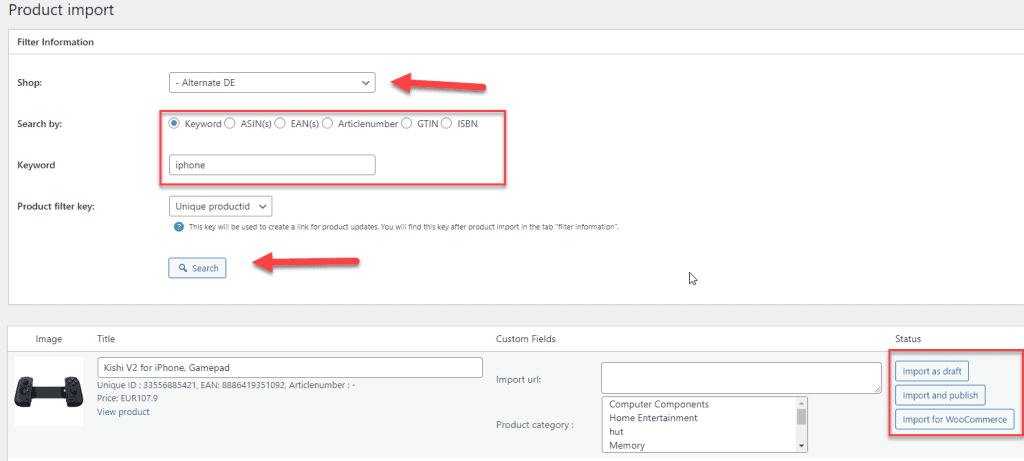
Select "Product import" in the menu and then select the subordinate AWIN store. You can search by keyword, ASiN, EAN. Enter the keyword and click "Search".
Now click through the search results. Once you have found the product, you can import the products on the right side.
Sie sehen gerade einen Platzhalterinhalt von Facebook. Um auf den eigentlichen Inhalt zuzugreifen, klicken Sie auf die Schaltfläche unten. Bitte beachten Sie, dass dabei Daten an Drittanbieter weitergegeben werden.
Mehr InformationenSie müssen den Inhalt von hCaptcha laden, um das Formular abzuschicken. Bitte beachten Sie, dass dabei Daten mit Drittanbietern ausgetauscht werden.
Mehr InformationenSie müssen den Inhalt von reCAPTCHA laden, um das Formular abzuschicken. Bitte beachten Sie, dass dabei Daten mit Drittanbietern ausgetauscht werden.
Mehr InformationenSie müssen den Inhalt von reCAPTCHA laden, um das Formular abzuschicken. Bitte beachten Sie, dass dabei Daten mit Drittanbietern ausgetauscht werden.
Mehr InformationenSie müssen den Inhalt von reCAPTCHA laden, um das Formular abzuschicken. Bitte beachten Sie, dass dabei Daten mit Drittanbietern ausgetauscht werden.
Mehr InformationenSie müssen den Inhalt von Turnstile laden, um das Formular abzuschicken. Bitte beachten Sie, dass dabei Daten mit Drittanbietern ausgetauscht werden.
Mehr InformationenSie sehen gerade einen Platzhalterinhalt von Instagram. Um auf den eigentlichen Inhalt zuzugreifen, klicken Sie auf die Schaltfläche unten. Bitte beachten Sie, dass dabei Daten an Drittanbieter weitergegeben werden.
Mehr InformationenSie sehen gerade einen Platzhalterinhalt von X. Um auf den eigentlichen Inhalt zuzugreifen, klicken Sie auf die Schaltfläche unten. Bitte beachten Sie, dass dabei Daten an Drittanbieter weitergegeben werden.
Mehr Informationen






.gif)