
skylight is a touchscreen photo frame you can update by email from anywhere the skylight 10 retails for 15900 and the skylight 15 retails for 299 we offer a flat 800 commission for each unit sold with a 45day attribution window skylight sells particularly well to those looking for gifts for new mothers grandparents and tech junkies we love to talk to our affiliates and our dedicated affiliate manager works closely with you to ensure you have the information and tools you need to drive sales and earn commissions for any questions or inquiries please contact ericaskylightframecom aliciaskylightframecom we look forward to working with you



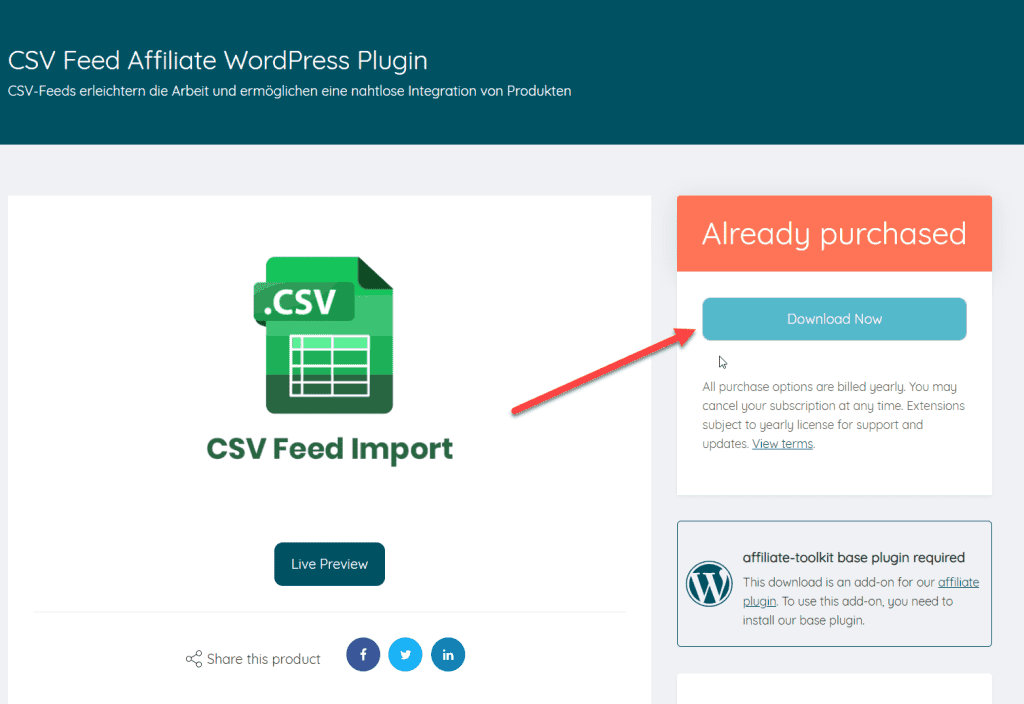
Download the extension from our website. To do this, click on "Download now":
You can then upload and install the ZIP file normally via the WordPress plugin installation. After activation, the CSV interface is also selectable under Shop API.
Now create a new store in affiliate-toolkit under Shops.
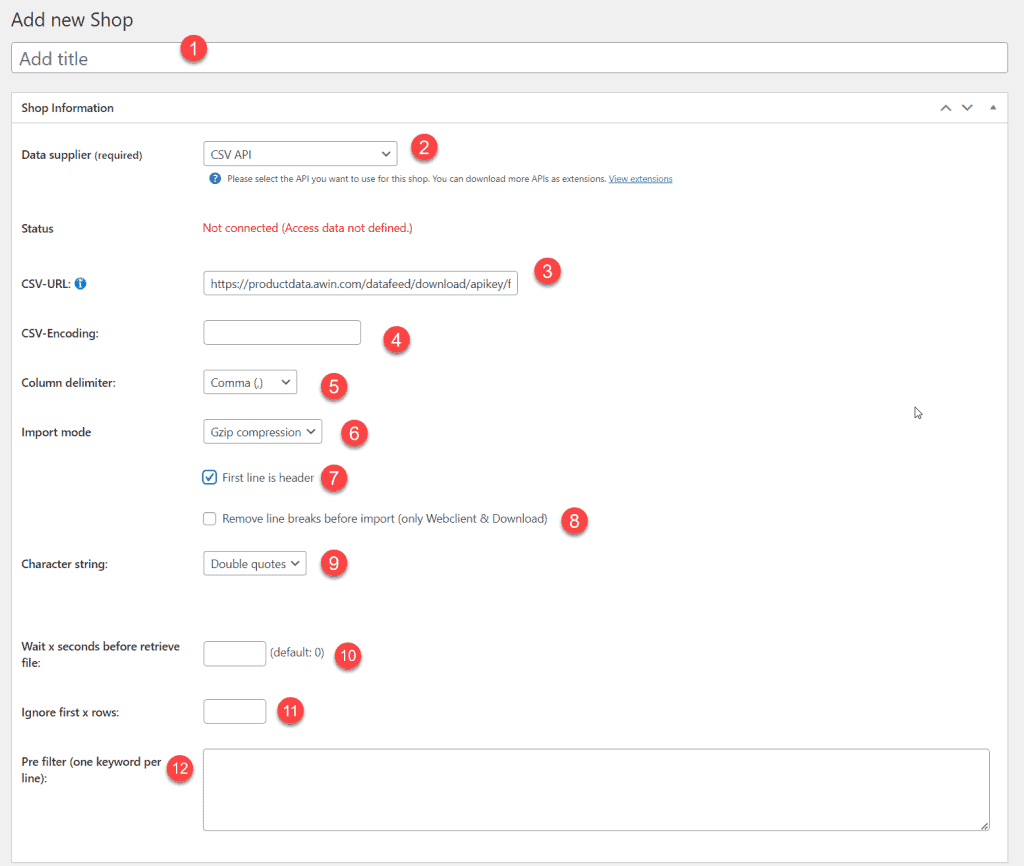
After you save the store, the recognized fields will be listed. These fields must now be assigned. On the left you can see the field name of affiliate-toolkit. On the right you need to select the field name in the CSV.
The most comfortable way is the import via the WordPress backend. affiliate-toolkit offers its own search mask here.
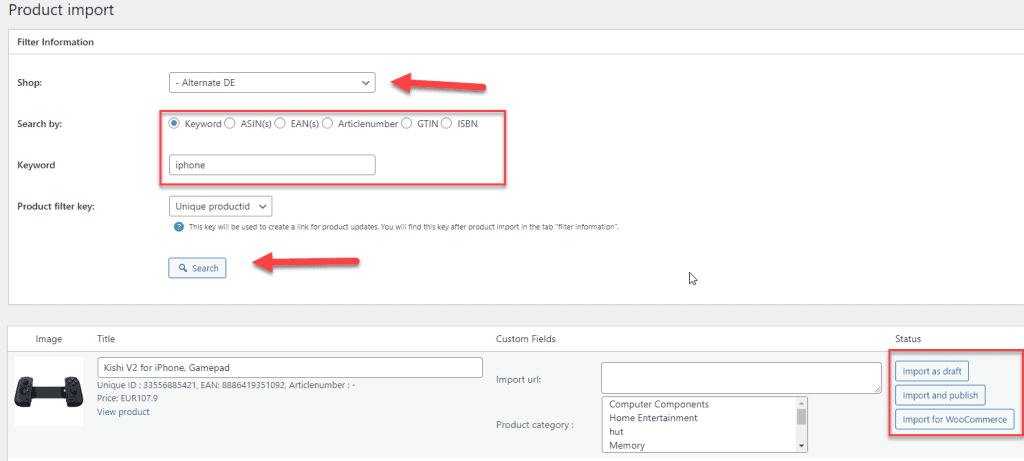
Select "Product import" in the menu and then select the subordinate AWIN store. You can search by keyword, ASiN, EAN. Enter the keyword and click "Search".
Now click through the search results. Once you have found the product, you can import the products on the right side.
Sie sehen gerade einen Platzhalterinhalt von Facebook. Um auf den eigentlichen Inhalt zuzugreifen, klicken Sie auf die Schaltfläche unten. Bitte beachten Sie, dass dabei Daten an Drittanbieter weitergegeben werden.
Mehr InformationenSie müssen den Inhalt von hCaptcha laden, um das Formular abzuschicken. Bitte beachten Sie, dass dabei Daten mit Drittanbietern ausgetauscht werden.
Mehr InformationenSie müssen den Inhalt von reCAPTCHA laden, um das Formular abzuschicken. Bitte beachten Sie, dass dabei Daten mit Drittanbietern ausgetauscht werden.
Mehr InformationenSie müssen den Inhalt von reCAPTCHA laden, um das Formular abzuschicken. Bitte beachten Sie, dass dabei Daten mit Drittanbietern ausgetauscht werden.
Mehr InformationenSie müssen den Inhalt von reCAPTCHA laden, um das Formular abzuschicken. Bitte beachten Sie, dass dabei Daten mit Drittanbietern ausgetauscht werden.
Mehr InformationenSie müssen den Inhalt von Turnstile laden, um das Formular abzuschicken. Bitte beachten Sie, dass dabei Daten mit Drittanbietern ausgetauscht werden.
Mehr InformationenSie sehen gerade einen Platzhalterinhalt von Instagram. Um auf den eigentlichen Inhalt zuzugreifen, klicken Sie auf die Schaltfläche unten. Bitte beachten Sie, dass dabei Daten an Drittanbieter weitergegeben werden.
Mehr InformationenSie sehen gerade einen Platzhalterinhalt von X. Um auf den eigentlichen Inhalt zuzugreifen, klicken Sie auf die Schaltfläche unten. Bitte beachten Sie, dass dabei Daten an Drittanbieter weitergegeben werden.
Mehr Informationen